Access data
The instructions below will help you to set up and use the most important UZH IT services and show you how to manage the corresponding access data.
Where Can I Find My Login Data?
Your login data can be found in your password letter, which contains your initial password, your UZH short name, and your e-mail address.
How Do I Get the Password Letter?
a.) Students
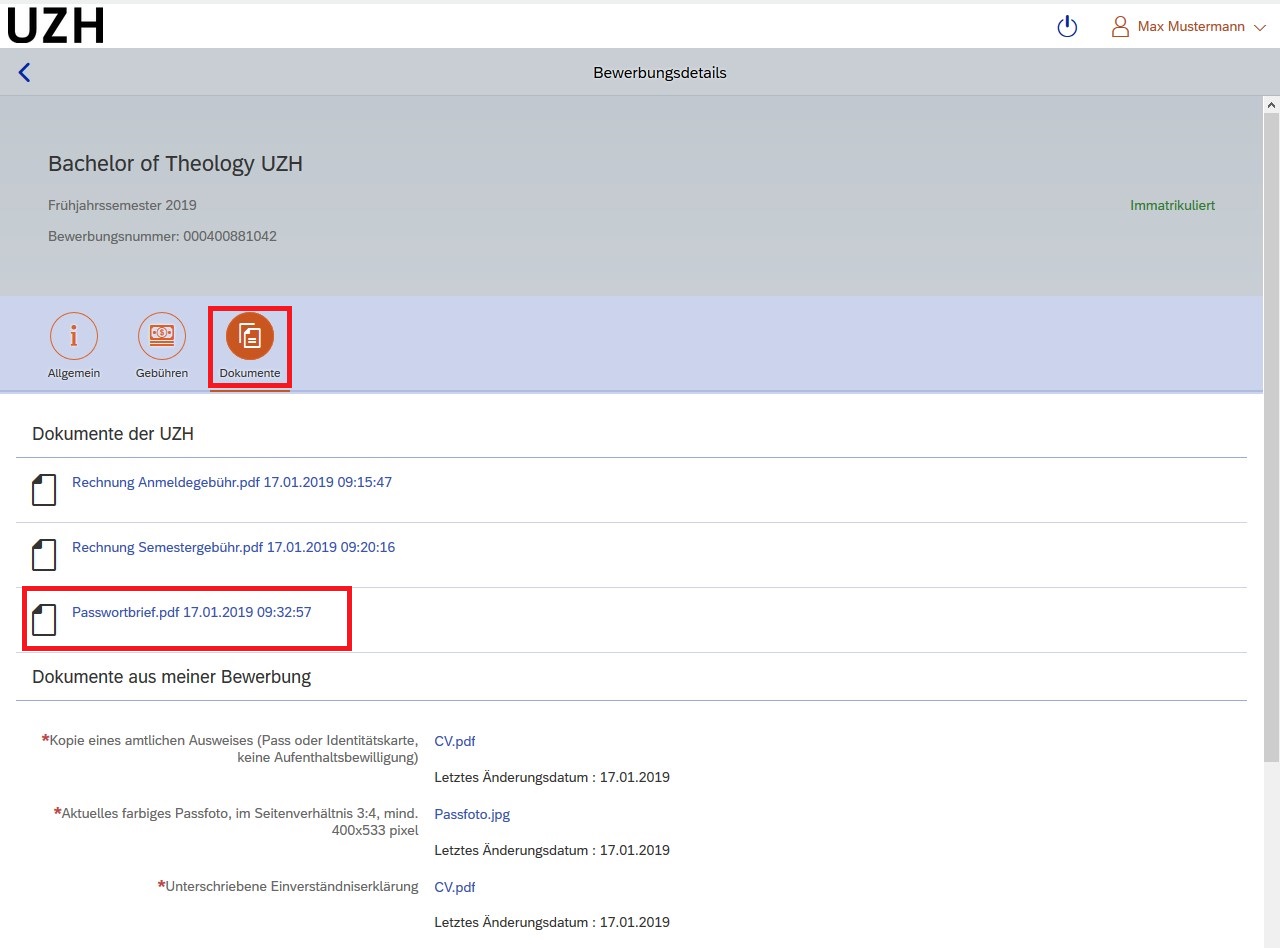
After successfully registering at the University of Zurich, your login data for the UZH IT services will be made available for download within 72 hours. The data can be found in a separate password letter in the Application Portal
To access your data, select "Dokumente" (“Documents”) in the Application Portal. The password letter is stored here as a PDF file.
-
- Zoom
-
Password letter
(To enlarge the image, please click on the red magnifying glass on the left.)
b.) Employees
In the case of regular employment, our system automatically opens the user accounts in the Identity Manager 30 days before the first day of work. The password letter is then sent to your business address or, if no such address is available, to your private address. Lecturers usually receive the password letter shortly before the start of the semester.
I have not received my password letter.
If you have not received a password letter, please contact your IT manager. They can help you access your login details.